


I mentioned in yesterday’s post we were switching some art around in the living room. I purchased a few new prints that I’ve been eyeing for awhile and we are moving the main art wall to the larger wall behind the couch in the coming weeks. And while I love art, I love our girls more (obviously) so I wanted to make sure we had a prominent place for some photos of them, too. I was worried framing a bunch of smaller photos and creating a gallery would be busy and compete with the adjacent wall when we’re done with it, so I went for my favorite–engineer prints. Update: I got these printed at my local Alphagraphics. They are nationwide so maybe you have one near you, too? Staples also prints these for a similar price. The process is the same.
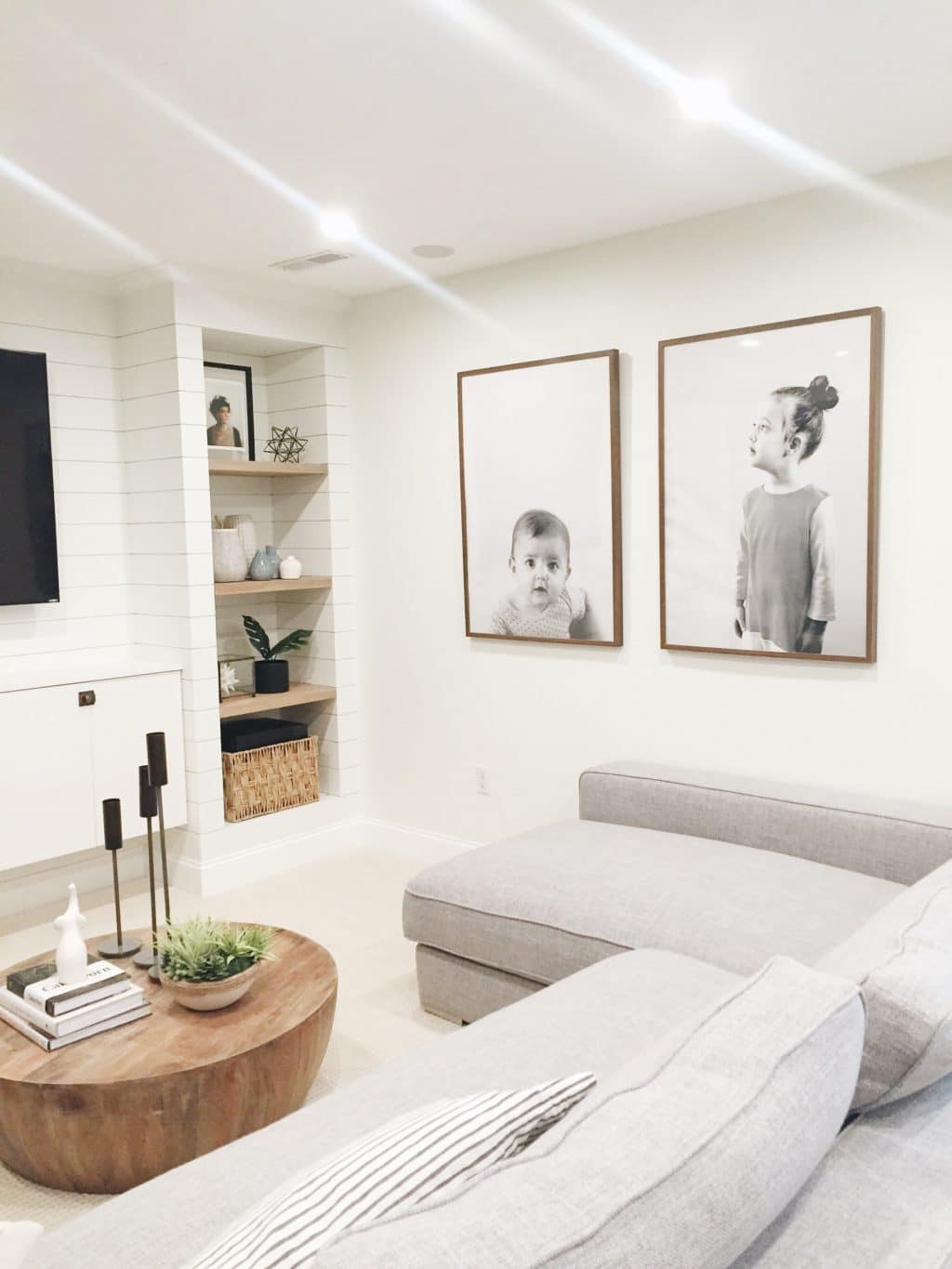
This isn’t my first time using engineer prints, (check out this one with just typography for Faye’s nursery) I just love them. And seeing our girls larger than life has made our living room much more personal. Here are a few tips I’ve learned along the way to achieve something similar.
1. A light plain background is best for portraits. Engineer prints aren’t the best quality printing method. That’s why they are so cheap! Like, a couple bucks tops, cheap. So eliminating the ink that appears on the paper will really go a long way in creating a crisper looking image. Not to mention, the subject really stands out like this.
Here are the originals (straight out of my camera), next to the one I sent to the printer:

2. Think about the size of the actual subject. Faye is little compared to Greta, but Greta is still a little girl, too. So when I was taking Faye’s photo, I made sure to keep a lot of blank space above her so when I framed her photo, she would still be baby-sized in comparison to Greta. And when I cropped Greta’s photo (this is one I took of her while we still lived in our old house that I’ve always loved) I made sure to keep plenty of negative space again to keep that little girl feel to it. Negative space is so important.
3. Make it black and white before you send it to the printer. After I brightened and cropped each photo, I made them black and white so I have a better idea of what I am going to be picking up. I love using Pioneer Woman’s B&W Beauty action for this (free here!). Things look so different in black and white–really! In both instances, I deleted the action momentarily, messed with the contrast a little more and then added the filter again to send it off.

4. The last thing I would recommend doing is to adjust your resolution. I did this in Photoshop CS4, but you can do it in Preview on a Mac, too! (I have no idea how to even operate a windows based computer anymore, sorry.) Both of these photos came out of my Canon camera, but the resolution was only in the 90s. A lot of times, you might see a 72 px/in there. I shoot it up to 200 so that the image is far, far FAR less pixelated. This will really cut down on the graininess that is typically associated with Engineer prints.


I put each print into the largest Walnut Ribba frame from Ikea which really warms up the black and whites, and I already had them. Nixing the mat really allows the subject (my cute girls) to shine. There’s a time and a place for a mat, I just don’t think portrait engineer prints are it.
I do realize these prints aren’t new or ground breaking, but I hope these tips help bring about your best ones yet. $2 prints never looked so good. Really.
See more of the family room here. See something else you like? You can shop all the sources in our entire home right here (scroll down for the family room).







What size are your frames
Who is the manufacturer of the lounge sofa? Thanks!
Interior Define!
Anyone have luck doing it on their phone? I took the pics with my nice camera. Idk what the pixels are tho… but then i transfered them to my phone. I am able to get them to a decent black and white that washes out the background using picsart. But now my problem is finding an app that allows me to do step 4. Seems like an important step too. Any ideas? I called my local office max to see if they do the engineered prints. They do, but are being a bit difficult with me saying they may not approve my pics as engineered because its a portrait, not blueprint. Otherwise i would just take what i have in and see how well it prints off. Thanks in advance!
Love this! How do you hang the frames on the wall where there isn’t a stud, and about how far apart did you place the frames?
Anchors, and you’ll measure the distance based on your frame size.
Love this!!! I was wondering if I could do this with an iPhone?!?! And then upload on apple computer and lighten it? Or lighten it on Instagram and then black and white it with that link you shared?
The new phone’s cameras are so good I bet you could!